
Appearance
AdminPrograms & cycles
Programs are the backbone of SkilSure. Each program is a wrapper around one or more cycles — scheduled runs of the program that users actually enrol in.
Browse existing programs
Open Programs → Programs to see what already exists in the tenant.
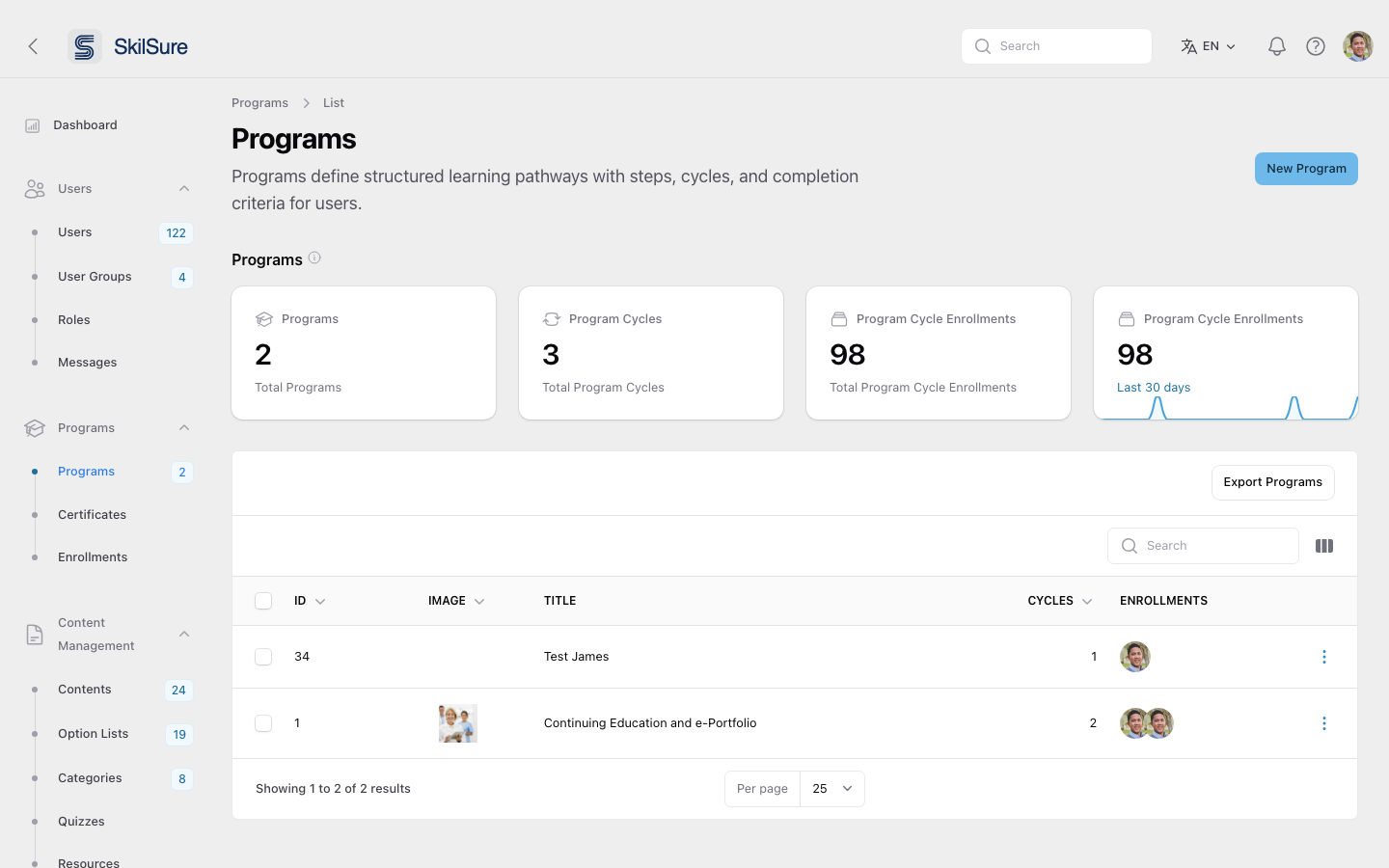 The Programs list. Tiles up top summarise totals; the table shows each program with its cycle and enrollment counts.
Create a new program
Click New Program in the top-right of the Programs list.
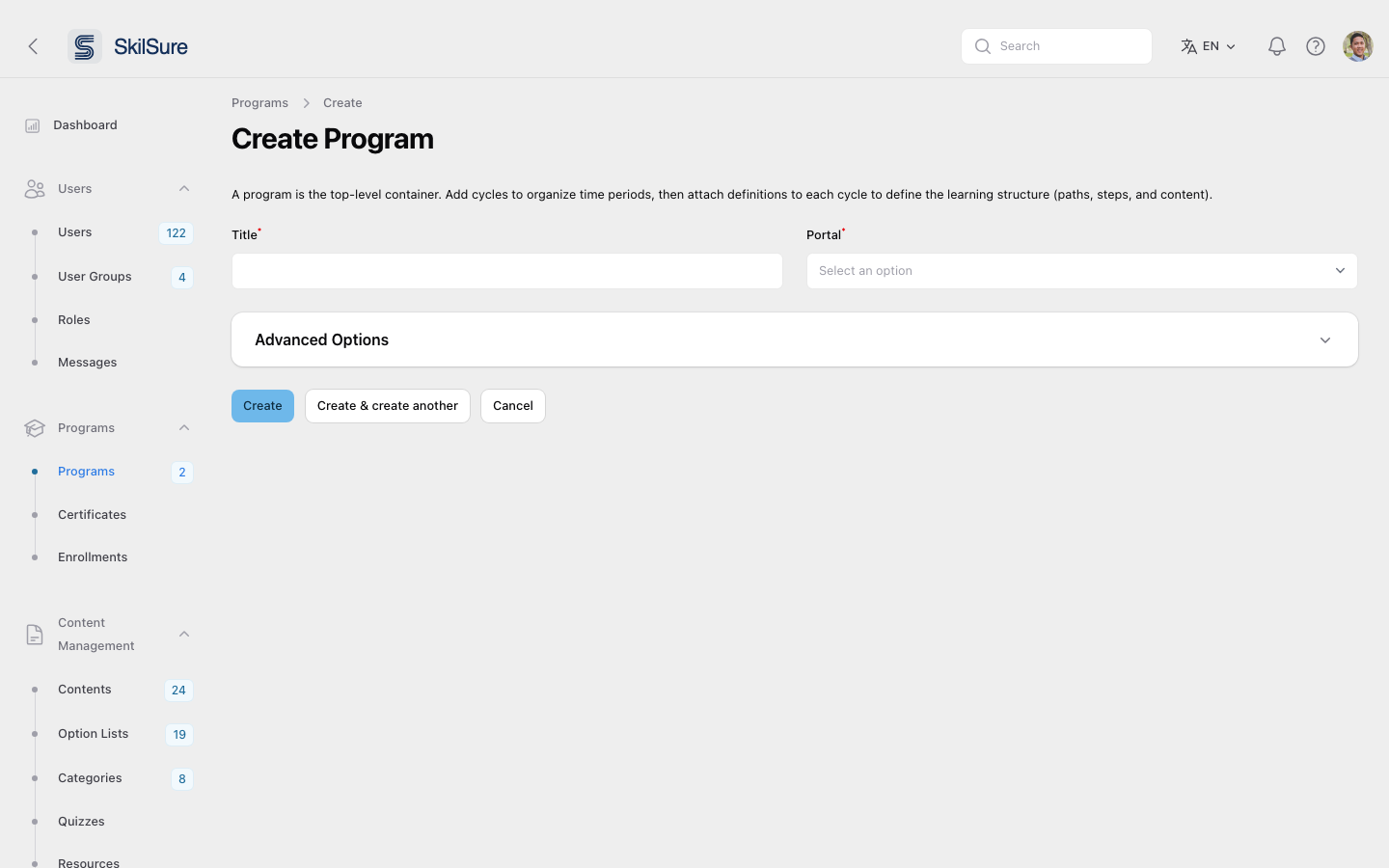 The new program form. Provide a title, image, description, and program type, then save.
- Click New Program.
- Fill in the title and description.
- Upload an image — this becomes the program card in the user portal.
- Save. You'll be returned to the program's edit view, where you can add cycles and a definition.
Manage the program's cycles
The program edit page is built around its Program Cycles table. Each cycle has its own dates, definition, and enrollments.
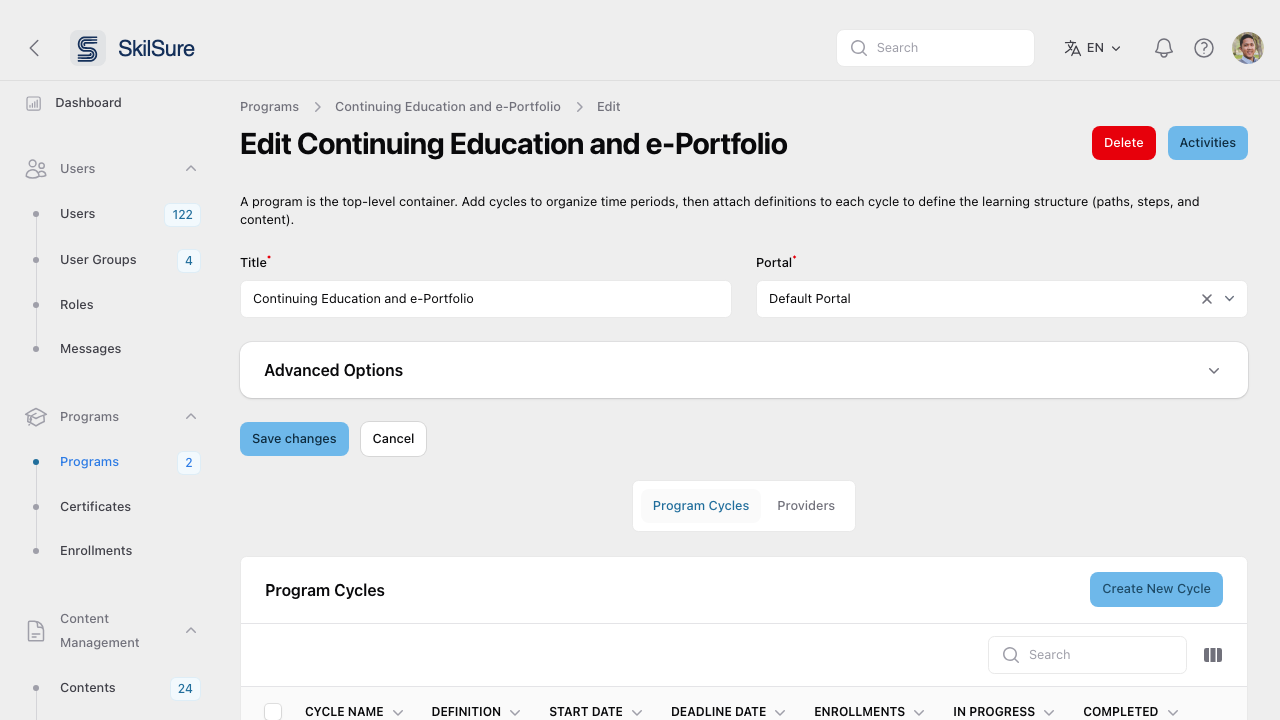 Program Cycles tab. Every cycle row shows its dates, the definition it uses, and live enrollment counts.
The Program Definitions tab beside it lists every definition in your organisation, with what each one is used by and actions to rename, edit, duplicate or delete it — see See and manage every definition.
From this view you can:
- Create a new cycle — typically once a year — using Create New Cycle.
- Edit a cycle — change its title, dates, definition, and lifecycle behaviour.
- Manage Definition — open the cycle's definition to add paths and steps.
Create & configure a cycle
Click Create New Cycle (or Edit on an existing one) to open the cycle editor.
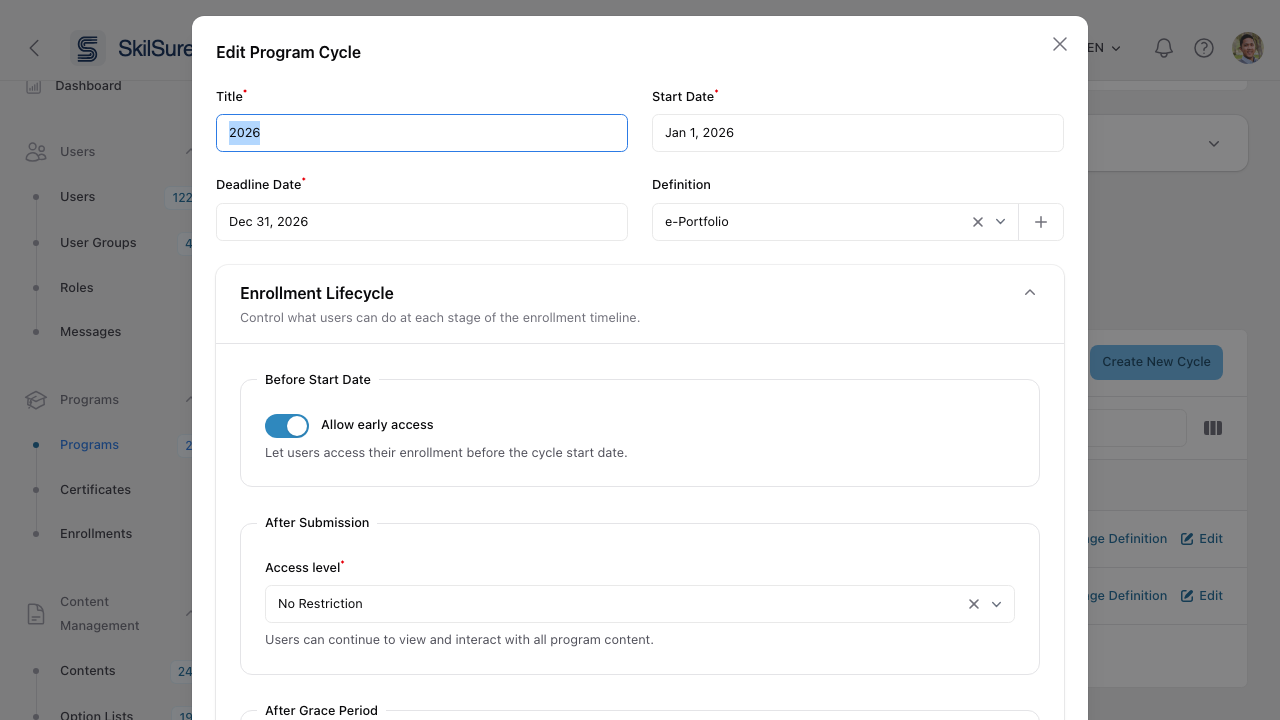 Edit Program Cycle. Set the basics up top; the Enrollment Lifecycle controls what users can do before, during, and after the cycle.
- Title — usually the cohort name (e.g.
2026). - Start Date and Deadline Date — bound the cycle. These are whole calendar days read in your site time zone (the deadline is inclusive through the end of that day) — see Dates & time zones.
- Definition — pick an existing definition (recommended, so cycles share structure), click New definition to start an empty one for this cycle only, or use the button beside the selector to duplicate the definition you've chosen and attach the copy instead.
- Enrollment Lifecycle — three stages, each with its own toggles:
Before Start Date — allow early access so enrolled users can start before the official start.
After Submission — set the access level (e.g. No Restriction) so users can keep reviewing content after submitting.
After Grace Period — define what happens once the deadline plus any grace window has passed.
Access Level Cycle Dates Enforcement — appears on a Standard cycle when either access level above is No Restriction. Turn on For No Restriction, Enable Enforce Cycle Dates Enforcement to limit that No Restriction access to the enrollment's cycle dates. Once the latest of the enrollment's Effective Deadline, Grace Period and Extension Date has passed, the program becomes read-only and shows a message you can reword in Custom Text. Before the Effective Start Date, Allow early access decides as usual. The switch is off by default and affects only submitted or completed enrollments (After Submission) and incomplete ones (After Grace Period). Enrollments still in progress are unaffected.
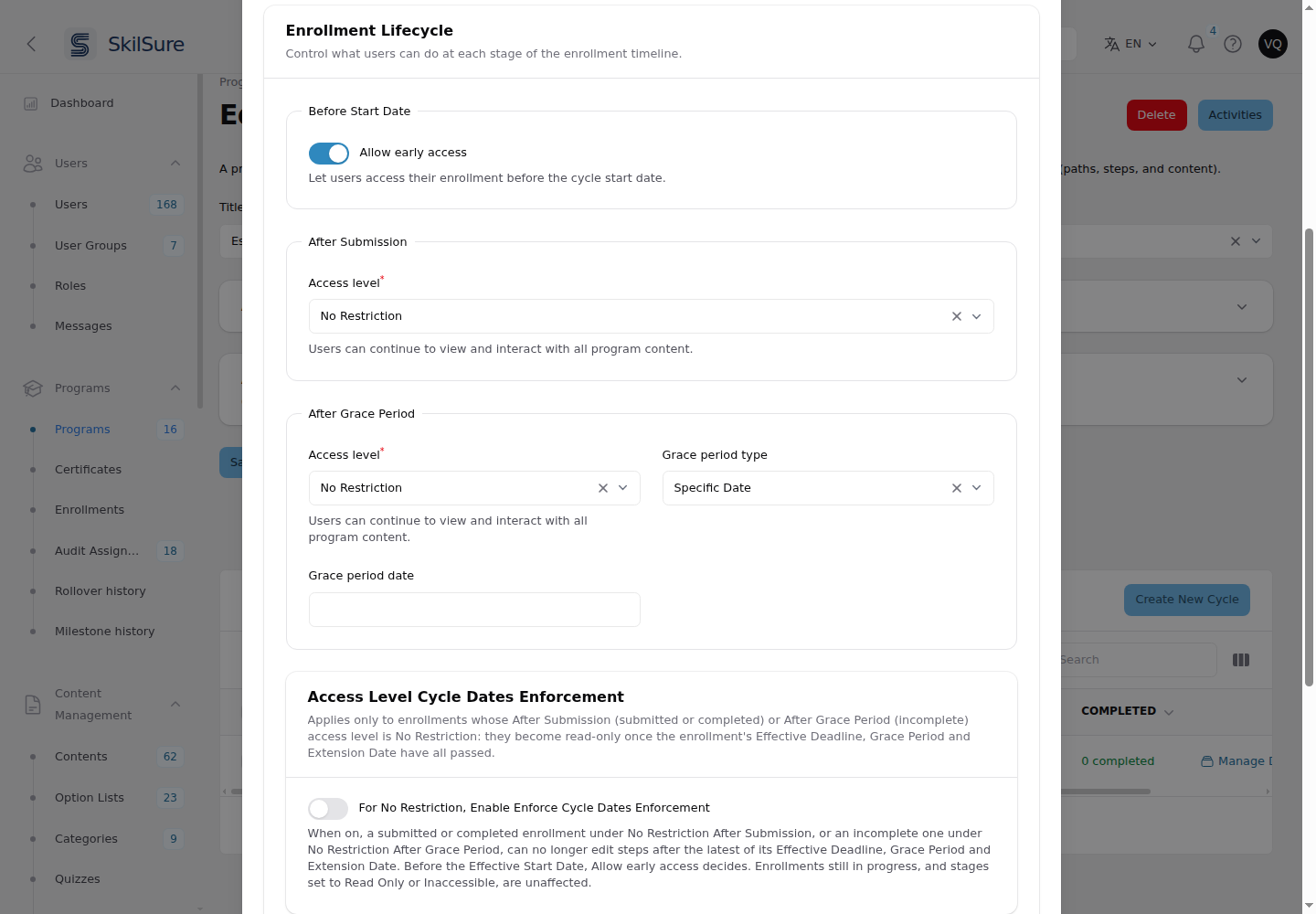 Access Level Cycle Dates Enforcement appears below After Grace Period while either access level is No Restriction.
Why cycles?
They let you re-run the same program year after year (a 2026 cohort, a 2027 cohort) without duplicating content or losing prior users' data. Two cycles can point to the same definition, or each can have its own.
See all cycles across programs
Settings → Cycles gives you a tenant-wide view of every cycle and the program it belongs to.
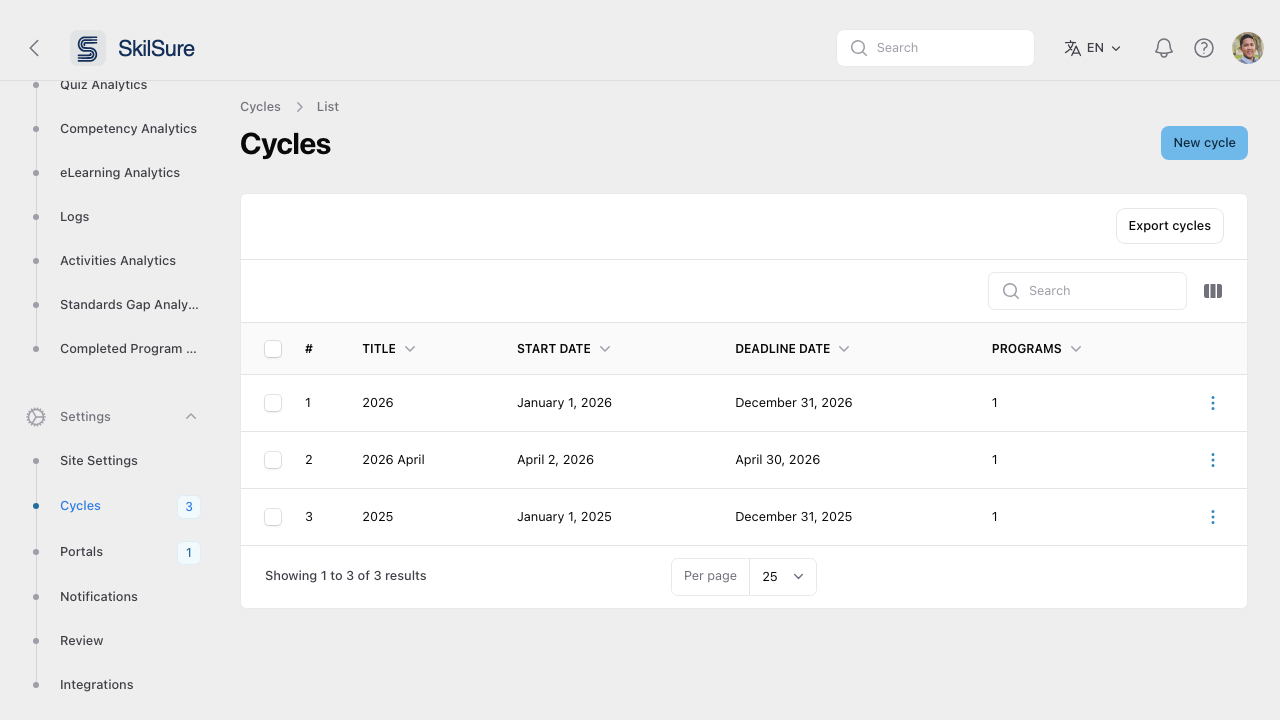 Global Cycles list — useful for scheduling, reporting, and bulk actions like exports.