
Appearance
AdminTour the admin panel
Open /admin to land on the overview dashboard. This is your control room.
What you'll see on the dashboard
The dashboard summarises your tenant at a glance — total users, active enrollments, and submissions awaiting review.
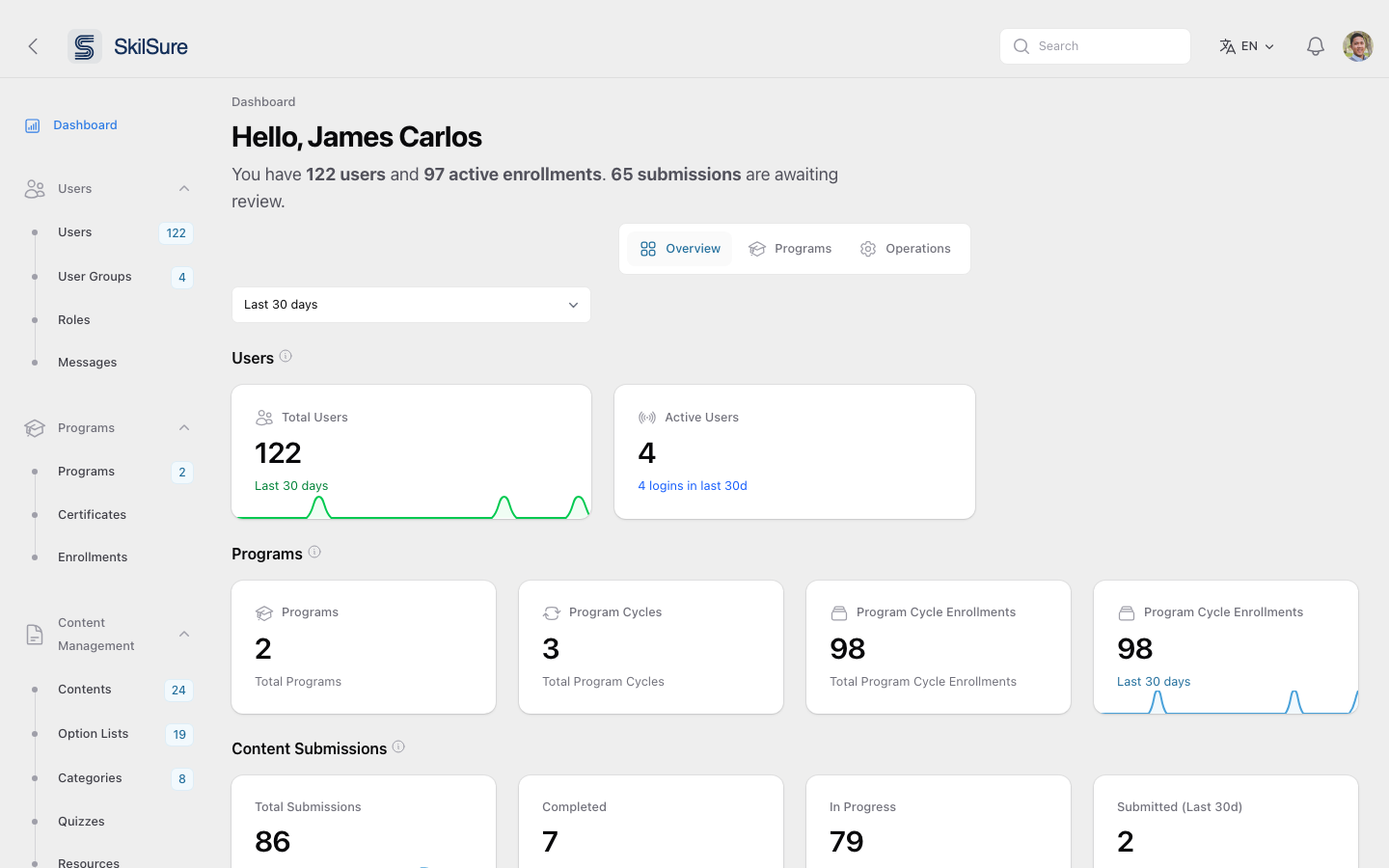 Admin → Dashboard. The left sidebar is your primary navigation; tiles are clickable shortcuts.
The left sidebar groups everything you can do:
- Users — Users, User Groups, Roles, Messages
- Programs — Programs, Certificates, Enrollments
- Content Management — Contents, Option Lists, Categories, Quizzes, Resources, Version History
- Competencies — Competency Paths, Goals, Scales, Practice Standards
- Reporting — Content Submissions, Report Builder, Enrollment / Quiz / Competency / eLearning Analytics, Logs
- Settings — Site Settings, Cycles, Portals, Notifications, Review, Integrations
Quick orientation
The Overview, Programs, and Operations tabs at the top of the dashboard switch between high-level views. Use the date-range selector to scope tiles to the last 30, 60, or 90 days.