
Appearance
UserEvidence & certificates
As you complete work, SkilSure builds your personal portfolio.
Review your evidence library
Open My Evidence to see everything you've submitted across programs.
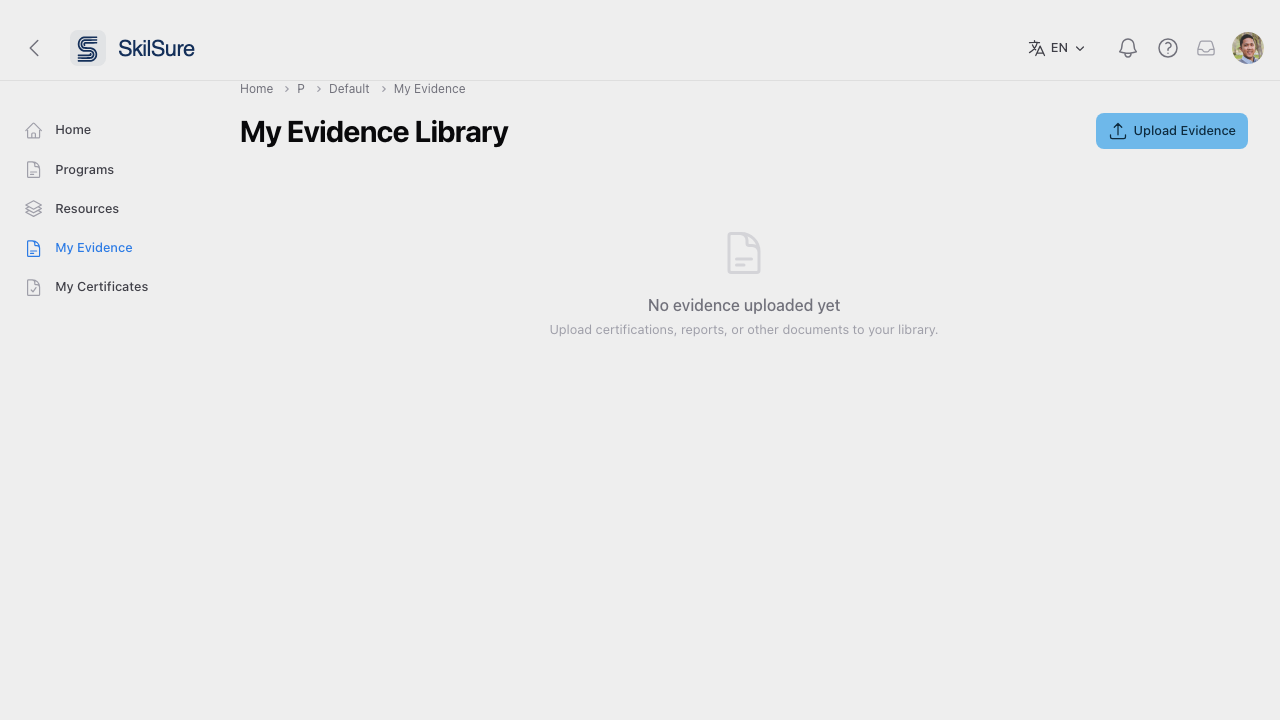 My Evidence — a single place to see all your submissions, activities, and uploads.
View your certificates
Completed programs that issue certificates show up under My Certificates.
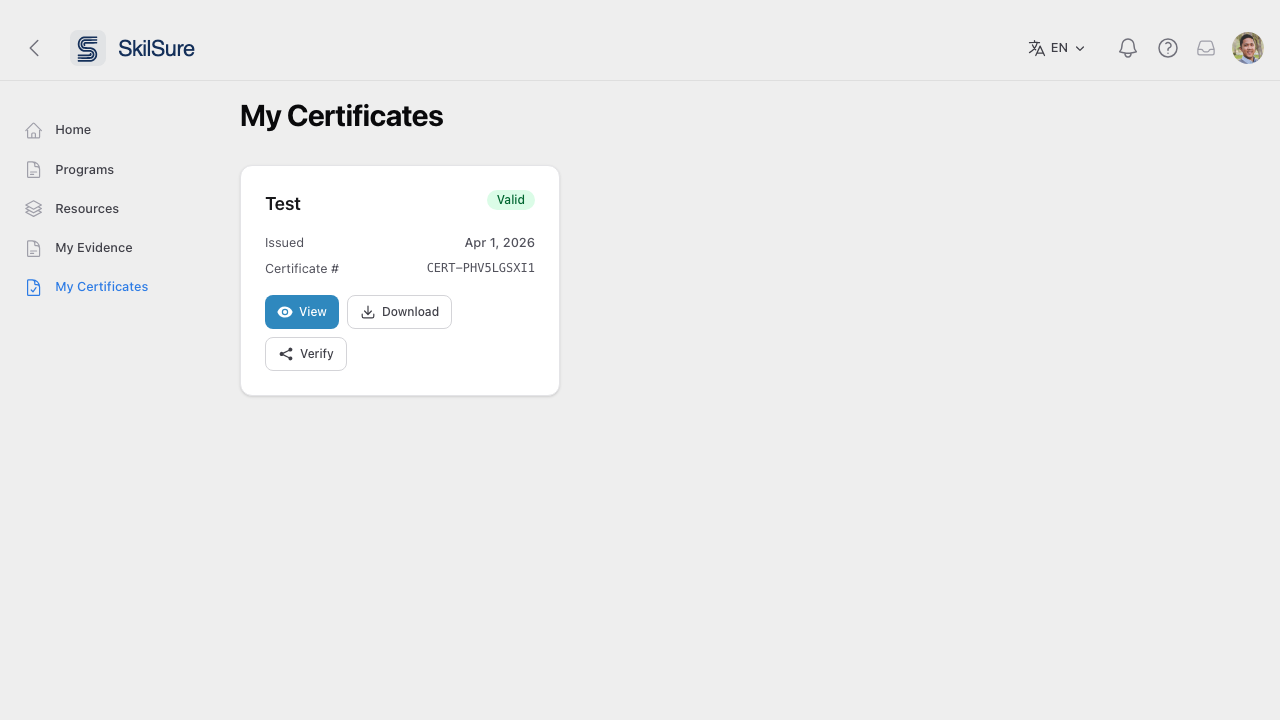 My Certificates. Download a PDF copy of each certificate you've earned.
What's on a certificate
What appears is set by whoever configured the certificate, so not every certificate shows the same things. Alongside your name, you may see your member number, and a Completed Step(s) table listing the program's steps with the date you finished each one.
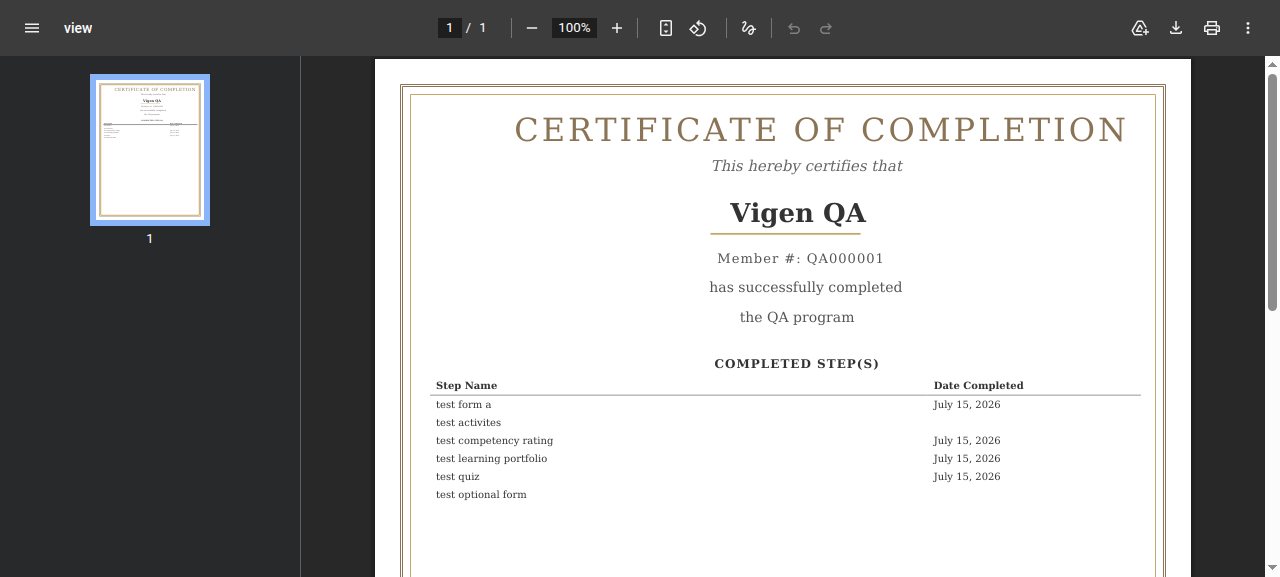 A certificate showing the member number and the Completed Step(s) table.
A step you haven't finished yet still appears in the table, with its Date Completed left blank. Finish that step later and your certificate updates the next time you open it — you don't need to ask for a new copy.
INFO
The step you're viewing the certificate from is never listed in its own table.
Find a certificate on its step
A program can also show your certificate on the step that awards it. Open that step and you'll see the certificate's name, the date it was issued, and its certificate number, with the same View and Download buttons.
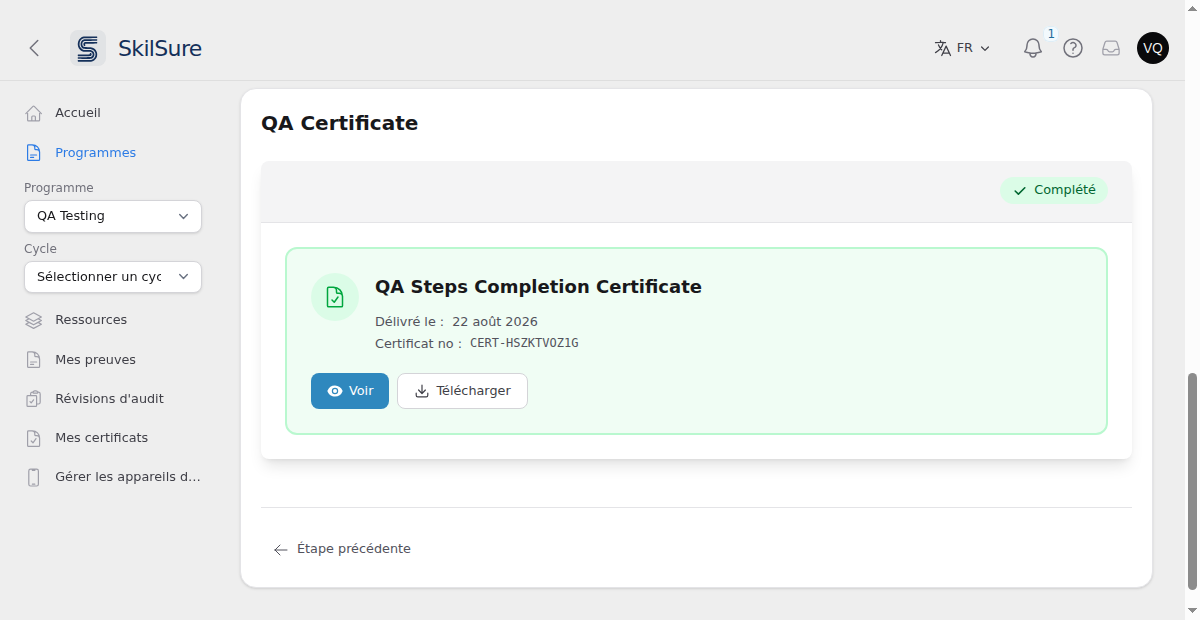 A certificate step. The issue date follows your language — here, French.
Certificates follow your language
Your certificate is written in your language, not the language of whoever generated it. If your account is set to French, the headings, the Member # label, the Completed Step(s) table and its dates all come out in French — including month names.
The dates you see on screen — under My Certificates and on a certificate step — follow your language too, written the way that language writes a date. English shows Aug 22, 2026; French shows 22 août 2026, with the day first.
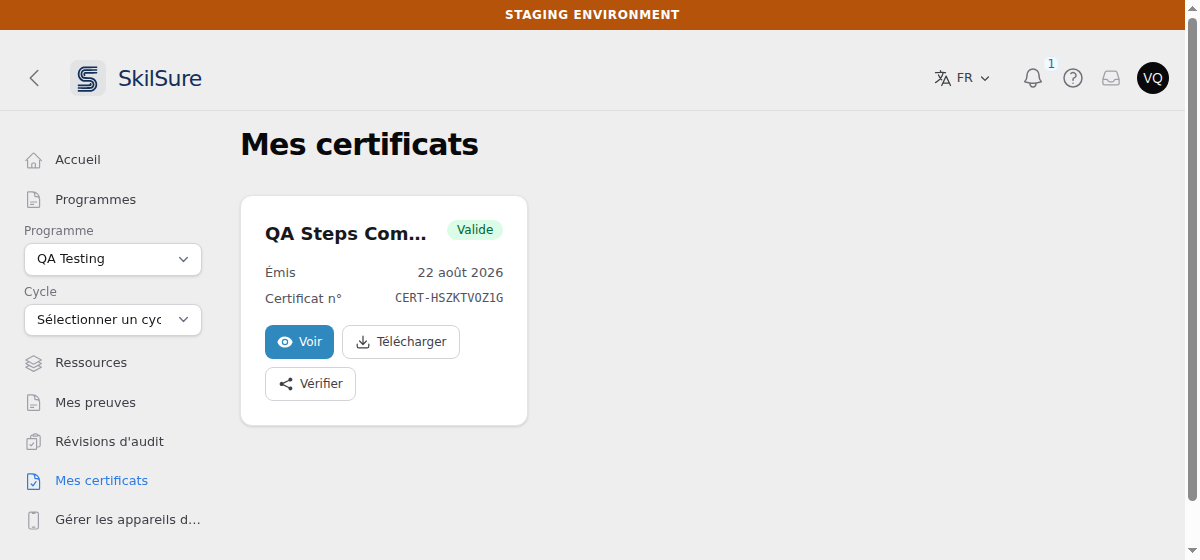 My Certificates in French. The issue date is written in French date order.
Screen dates and certificate dates can differ by a day
On screen, dates use your own time zone if you've set one in your profile. Inside the certificate PDF they use your organisation's time zone, so that everyone reading the same certificate sees the same date.
If your time zone is far from your organisation's, a certificate issued close to midnight can therefore show one day on screen and the day before or after on the PDF. Set your profile time zone to match your organisation's if you'd rather the two always agree.