
Appearance
UserOpen a program
Use the left navigation to jump to Programs.
Browse your programs
Each card shows a program you're enrolled in along with its current cycle.
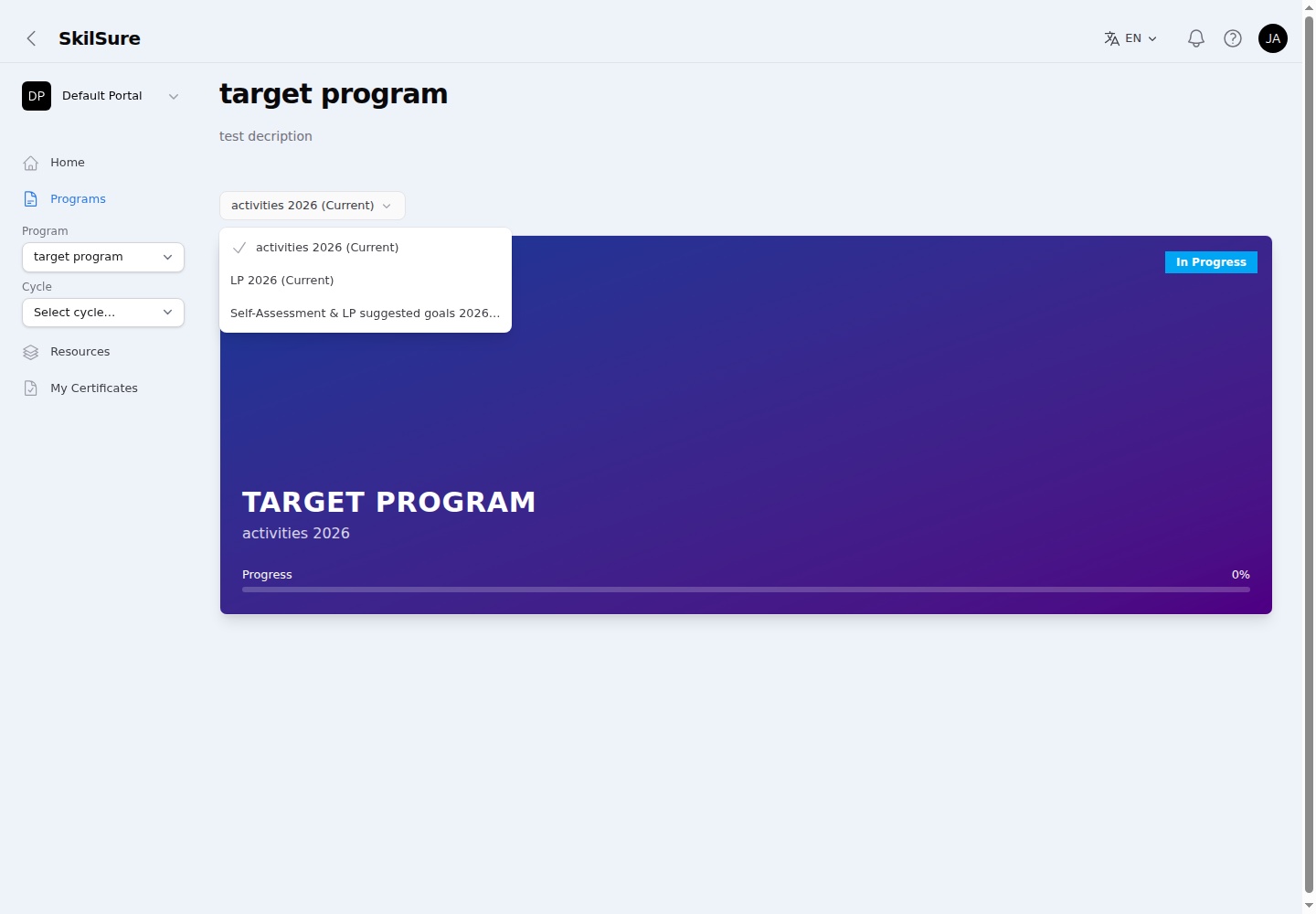 Programs page. Click a card to open the program. Use the cycle picker above the cards to jump straight to a different cycle.
If your organisation has enabled it, each card also shows your enrollment ID and/or enrollment date.
A program appeared on its own?
Your organisation can set certain programs to be assigned automatically — a yearly self-assessment, for example. Those appear here after you sign in, without anyone enrolling you by hand, and a new one can show up when a new cycle opens. If you think a program is missing, or one appeared that you didn't expect, contact your administrator.
Programs are normally listed alphabetically. If your organisation has set a custom order for this portal, the cards — and the Programs menu and program picker — instead follow that arrangement, so the programs your administrators want front-and-centre appear first.
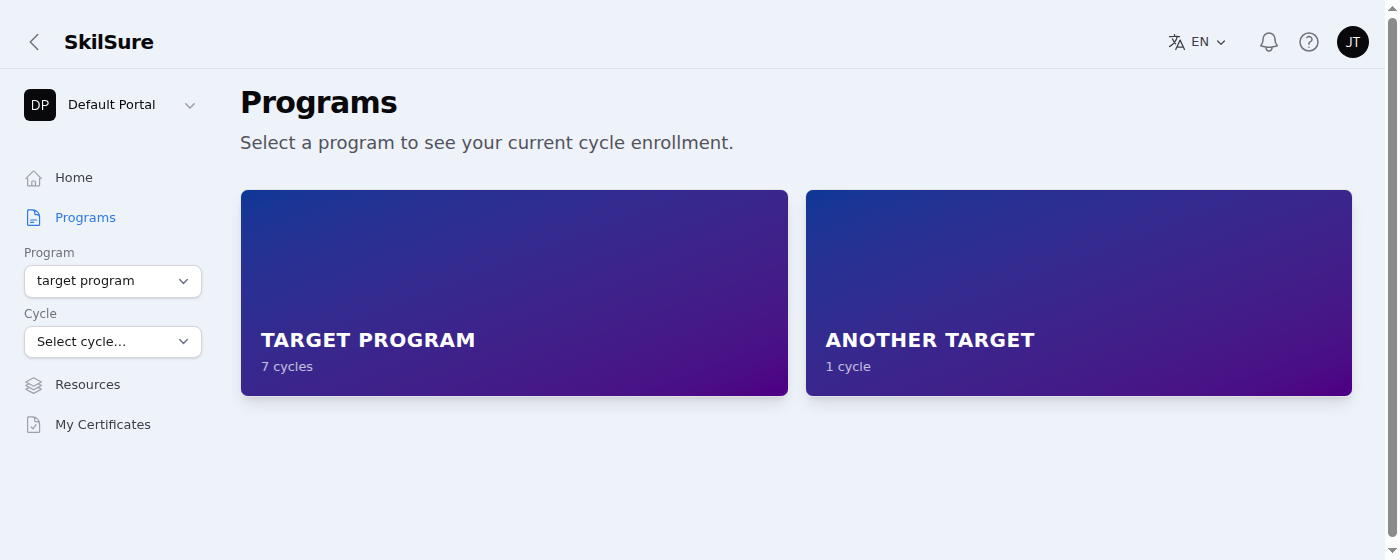 Programs page. Here the cards follow a custom order set by an administrator — Target Program leads, ahead of Another Target.
Switch between cycles
If a program runs in more than one cycle, you can move between them in two ways:
- The cycle picker above your program cards (and the Switch cycle banner inside a program). Pick a cycle and SkilSure takes you straight to that cycle's enrollment — no extra step.
- The Program and Cycle selectors in the navigation, when your organisation has turned them on. Choose a program, then a cycle, to jump directly to that enrollment from anywhere.
Quick navigation
If you don't see the Program and Cycle selectors in the navigation, your organisation hasn't enabled them — use the cycle picker on the Programs page instead.
The dates shown beside each cycle are your own start and deadline for it. If an administrator has given you a different date from the rest of your cohort — an extension, or a later start — that is the date you see here, not the cycle's shared one.
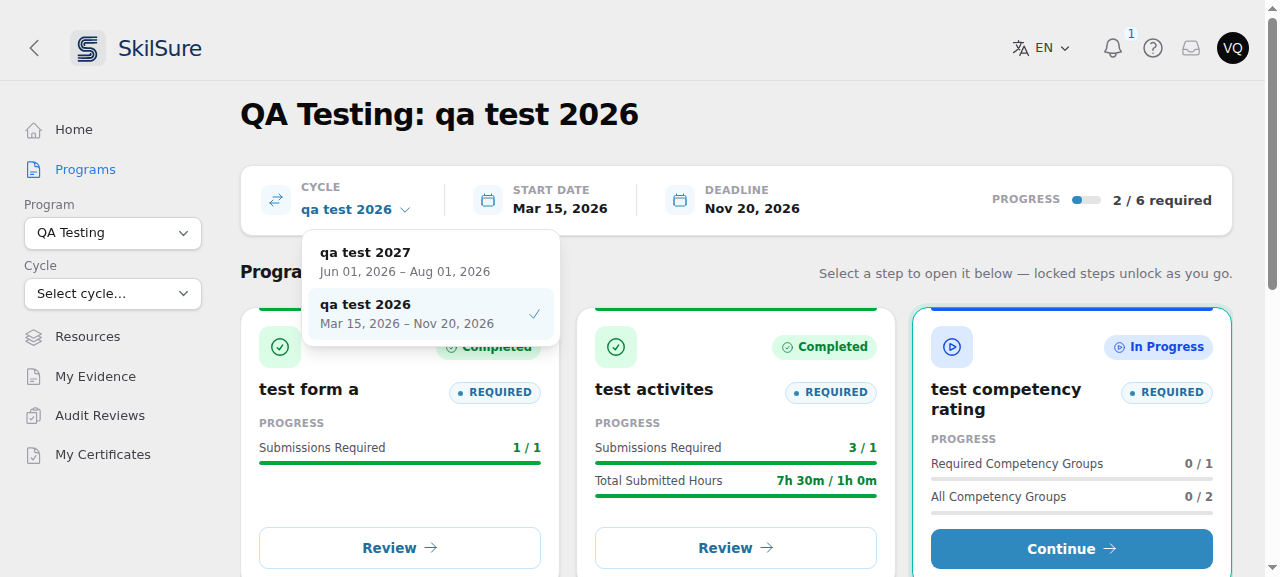 The cycle selector on a program page. Each cycle lists the dates that apply to you, and the Start Date and Deadline shown alongside always match the cycle you have open.
The cycle marked (Current) is the one today falls inside for you, and it's the cycle a program opens on by default. So if you've been extended into a cycle that has closed for everyone else, that is still your current cycle.
Open a program and see your steps
The program page shows your enrollment, current cycle, and progress through the steps.
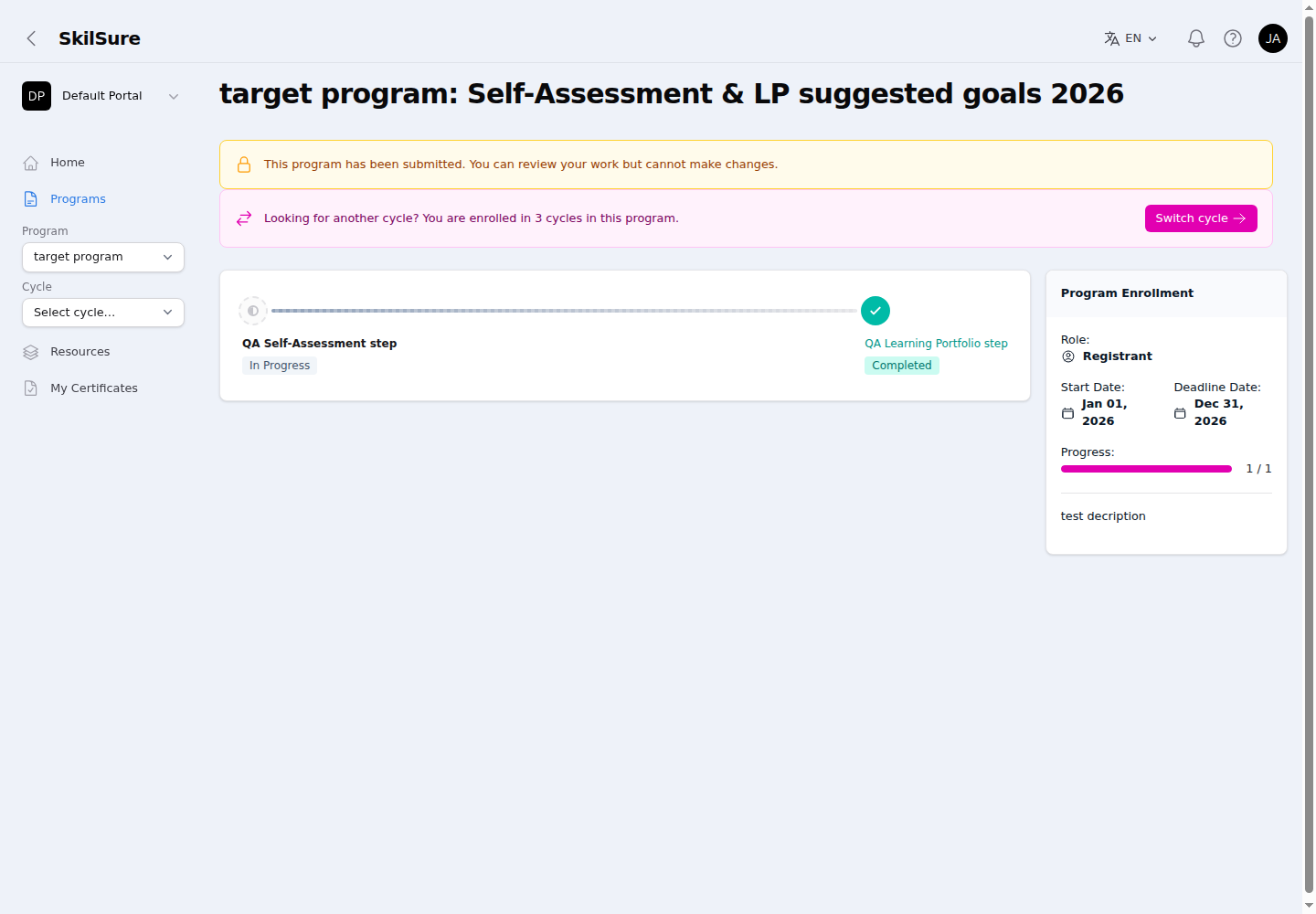 Program detail. The step strip shows your steps with their status; the side panel summarises your enrollment and overall progress.
- Step badges show your status: Not Started, In Progress, or Completed.
- Required steps are emphasised and optional ones appear more faintly — see Required and optional steps for how this shapes your progress bar.
- The side panel shows your enrollment role, start and deadline dates, and overall progress — and, when your organisation has enabled it, your enrollment ID and/or enrollment date.
Track your progress on each step card
When your organisation turns it on for a step, the step's card shows how far you've got through that step's requirements — so you can see what's left without opening it.
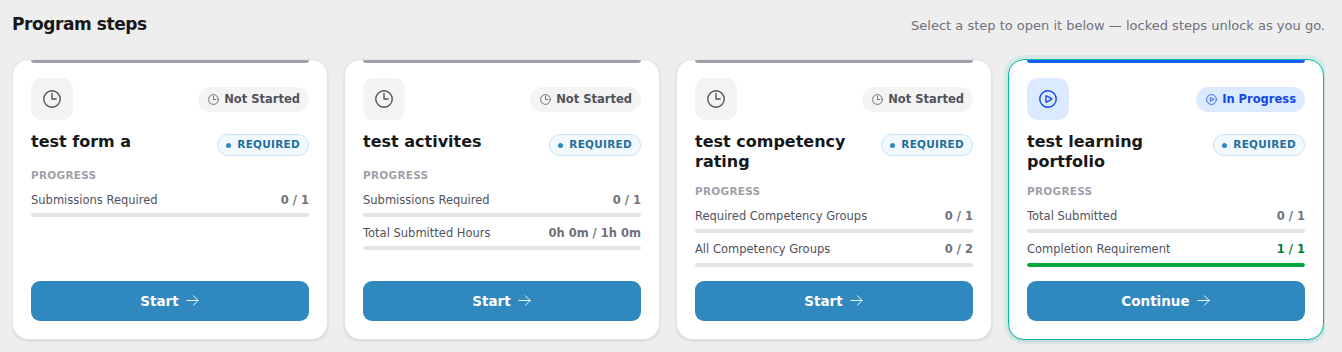 Program steps. Cards with progress enabled list each requirement with your current count and a bar; a full green bar means that requirement is met.
- Each row names one requirement and shows your progress against what's required — a count like
2 / 2, hours like4h 0m / 15h 0m, or a percentage for a quiz score. - The bar fills as you go and turns green when that requirement is met.
- Requirements you still owe are listed first, so the ones blocking you are always visible.
- A card shows at most four rows. If the step has more requirements than that, a +N more line tells you how many are hidden — open the step to see them all.
What appears depends on the step: a Learning Portfolio shows goal and hour requirements, Activities shows how many entries you owe, a Competency Rating shows how many competency groups you've rated, a Form shows submissions, and a Quiz shows your best score or attempts used.
Counts follow your organisation's setting
Your organisation chooses whether a row counts only work you've submitted, only work you've saved, or both. So a saved-but-not-submitted entry may or may not move the bar.
Not every step has them
Only steps your organisation has configured show progress rows, and only content types with a countable requirement can have them. A step with no rows isn't a problem — there's just nothing to count, or it hasn't been turned on.
Some steps also have their description hidden from the card to keep it compact. The full description is always on the step itself when you open it.
When a program becomes read-only
Depending on how your organisation set up the cycle, a program can become read-only after you submit it, or once your deadline and any grace period have passed. A yellow banner at the top of the program tells you why. You can still open every step and review your work, but you can't add, change or submit anything.
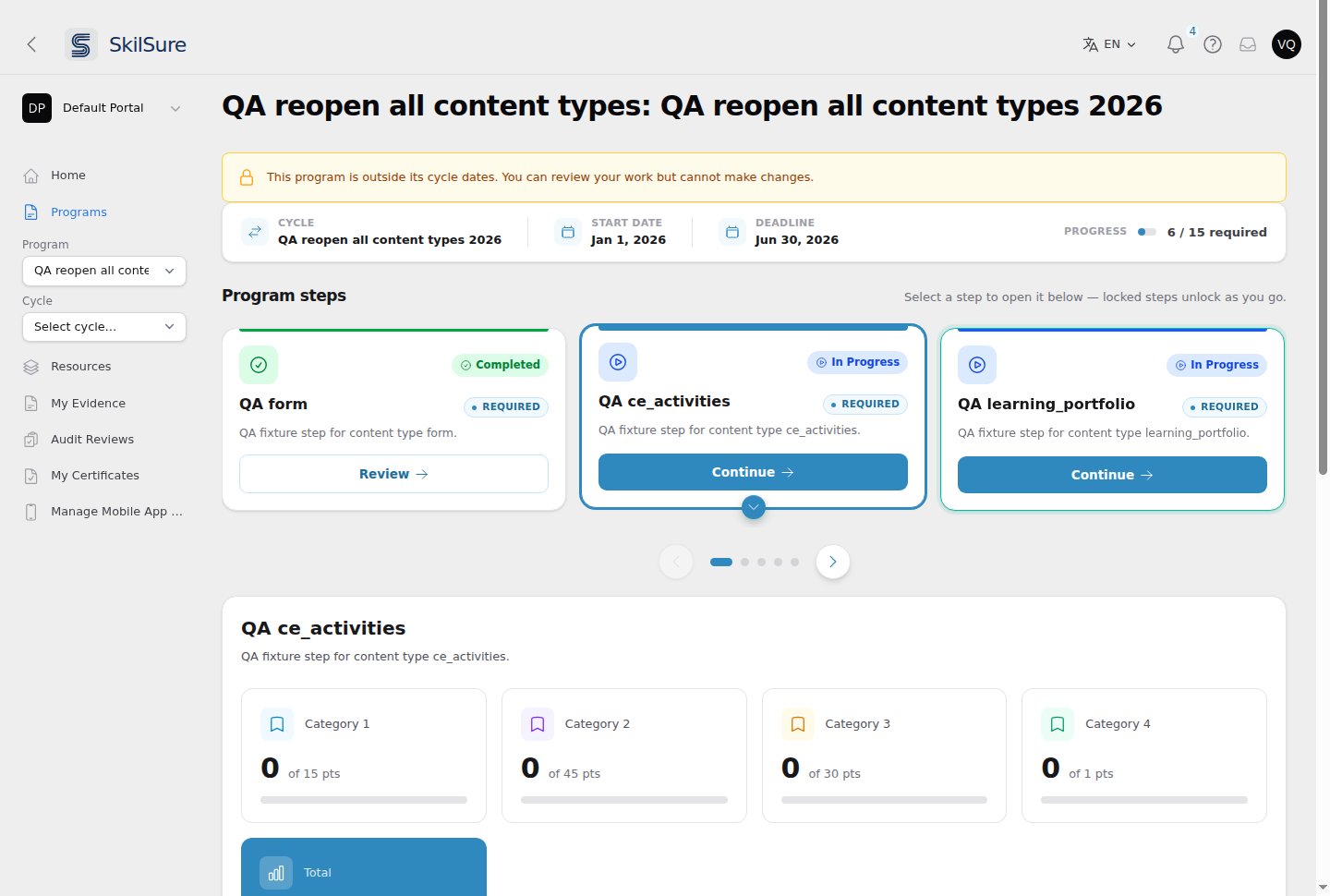 A program that has passed its cycle dates. The banner explains why it is read-only, and the steps stay open for review.
Some organisations keep a submitted program editable, but only until your dates run out. In that case the program becomes read-only once the latest of your deadline, grace period and any extension has passed, and the banner says the program is outside its cycle dates. If you've been given an extension, you can keep working until it ends.
If you think a program is read-only by mistake, contact your organisation's administrator.